![Frame-1.png]](https://help.nouxdigital.com/hs-fs/hubfs/Frame-1.png?height=17&name=Frame-1.png)
Using the AI Sales Coach helps you evaluate your sales conversations, identify improvement areas, and understand customer intent more clearly. Here’s how to get the most out of it.
You will learn!
-
How to access and interpret AI Sales Coach insights
-
How to understand sales scoring, category evaluations, and customer intent
-
How to use improvement suggestions and value analysis in your sales process
Accessing AI Sales Coach
To explore the AI Sales Coach, start by opening Meetings in the top bar.
Select any meeting where NoteTaker has generated notes. Inside the meeting, you can view the summary, full transcript, statistics — and the AI Sales Coach.

Understanding the Sales Score
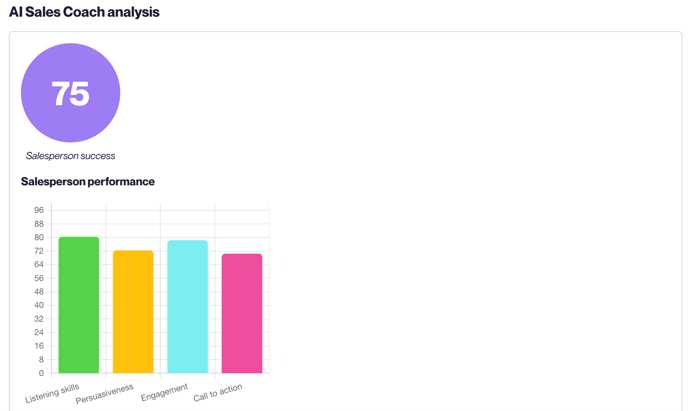
AI Sales Coach evaluates the entire customer conversation and compares it to leading sales frameworks. You’ll receive an overall score based on the quality of your sales performance.
In addition to the overall score, AI Sales Coach provides four detailed sub-scores — each with both a numeric rating and a written evaluation:
-
Listening Skills
-
Persuasive Communication
-
Interaction & Rapport
-
Next Step Alignment
Improvement Suggestions
AI Sales Coach also generates targeted development suggestions for your upcoming sales conversations, helping you understand what behaviors to improve and why.
Customer Interest & Intent Analysis
You’ll also receive:
-
A Customer Interest Score (0–100)
-
A written evaluation of buying intent
-
A Needs–Solution–Value analysis you can share with your customer